Product Updates and Feature Releases - April 2026
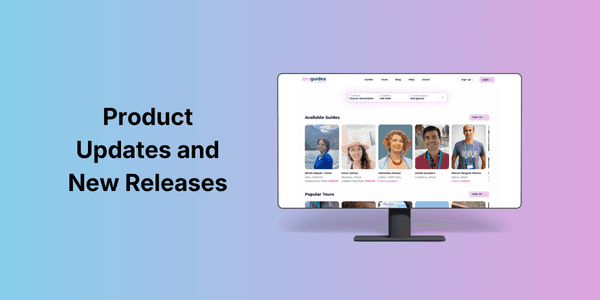
We’ve been busy building.
Over the past months, we’ve focused on one thing: making it easier for guides to get found, get booked, and spend less time on manual work.
Here’s a closer look at what’s new in Keyguides Connect so far in 2026.
🔎 Filter Bar: Get found by the right guests
One of the most important updates is our new filter bar, now live across the platform.

Guests can now filter guides and tours based on:
Country and city
Travel dates (including specific days)
Number of guests
Language
This means you’re no longer shown randomly. You’re shown when it actually makes sense.
What this means for you:
You appear when guests are searching your city
You show up when you’re available
Guests see accurate pricing based on their group size
We’ve also extended filtering to association pages, making it easier for partners and organizations to surface the right guides.
👉 This is about better matching, not more noise.
🧭 Custom Tours: Get booked before you plan
This is one of the biggest changes we’ve introduced.
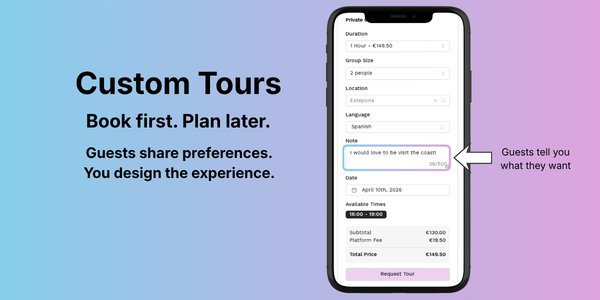
With Custom Tours, guests can book you first, and plan the experience with you afterwards.
Instead of spending time creating tours that may never get booked, you can now:
Receive a booking request with guest preferences
Get confirmed and paid upfront
Plan the experience directly with the guest
Guests can share details like interests, preferred areas, and pickup location. From there, you take over.
Why this matters:
Less unpaid planning
More flexibility in what you offer
A more personal experience for both you and the guest
👉 You focus on guiding. Not guessing what might sell.
Read more about custom tours in the help section.
📍 Main City Selector: Show where you work first
Many guides work across multiple cities and areas.
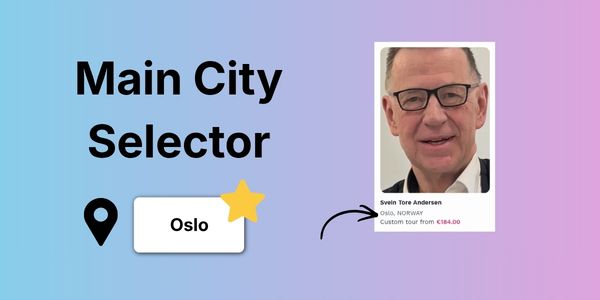
Now, you can choose which city appears under your name in search results.
This is the location guests see before they even click your profile.
What this means for you:
You control your first impression
Guests immediately understand where you guide
You can still add multiple locations to your profile
⭐️ Small change, big impact on visibility. Login to select your main city in your guide dashboard.
🖼️ Multi-upload for images: Finally
A simple one, but long overdue.
You can now upload multiple images at once when updating your profile.
No more uploading one by one. This also works for tours and association pages.
👉 Faster setup, less frustration.
We’d love to hear from you
What’s working for you?
What could be better?
You can always reach out to us with suggestions and feature requests!