How do I manage my members?
In Keyguides Connect, the membership component allows you to approve or reject guides who request to join your organization. You can also invite your members directly, which makes them pre-approved if they create a profile.
Let’s go through both options below.
Managing Applications
During onboarding, guides are asked whether they belong to any associations. If they select your organization, you’ll receive a notification by email (as long as you're listed as the admin for that organization — if not, reach out to our team to be added).
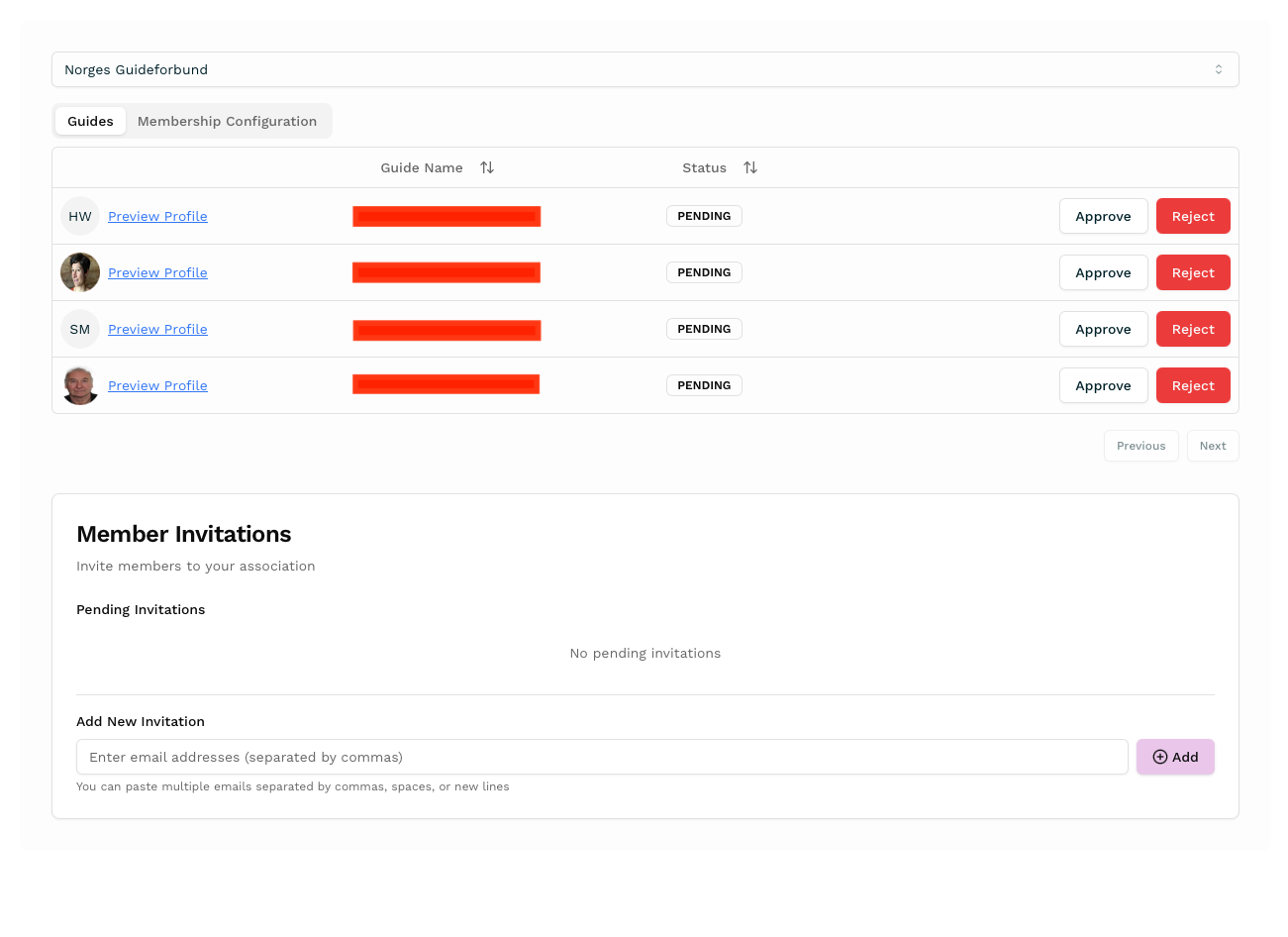
You can then log in to your Membership Portal, where you’ll see a list of guides requesting approval. From there, you can:
View their guide profile
Choose to approve or reject their request
In the screenshot, you'll see:
Guides who’ve applied for verification at the top
The invitation tool at the bottom to invite new members
How to invite members
You can easily invite your members to join by copying and pasting their email addresses into the invite field. This will send each guide an email inviting them to join and become automatically verified as your member.
If the guide doesn’t register right away:
They’ll receive two reminder emails over the following weeks
After that, we stop sending reminders – but they can still join at any time and list your organization manually
What happens after You approve a guides?
Once approved:
A badge with your association name will appear on their profile – like a quality stamp
This helps those booking guides feel confident they’re choosing someone verified
Your organization will also get a public-facing page listing all your verified members. You can proudly showcase your guides here – and they can be booked directly through your page.
Need Help?
If you’re not yet set up as an admin, or if you need help inviting members, just reach out – we’re happy to assist. Our email is simply hello@keyguides.com
Frequently Asked Questions
Yes — but only certain group types can verify guides. All group types can approve them.
If you're an association, you can verify guides by pasting their email addresses into your Membership Portal. When those guides join the platform via your invitation, they are automatically marked as verified. This means their profile will show a visible badge like “Verified by Oslo Guideforening,” helping travelers and partners trust their qualifications.
If you're a commercial group, you can’t verify guides, but you can still approve them as part of your group. You can invite guides in advance or approve them when they request to join. Once approved, they will appear on your public group page and can be included in tours or listed as part of your team.
In short: – All groups can approve guides and display them on their group page. – Only associations can verify guides, giving them a visible trust badge on their profile.
You public Page includes a Name, Country and Description, logo (optional), images. And under your company information you have your members (the guides) or the Tours you create - Or both!
Related Articles
Learn how the Membership Portal helps associations, companies, and certifying bodies support and promote guides through one shared platform.
5 easy steps to guide you to becoming a Members Page Admin on Keyguides Connect, giving your verified badge to your members!