Ordering Tours
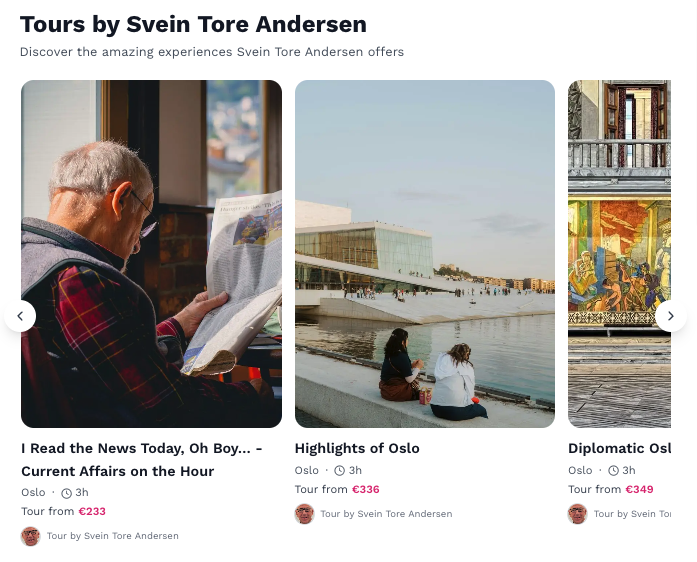
Just released functionality let guides order their tours to their own liking. First tour you made will no longer be at the end of your scroll.
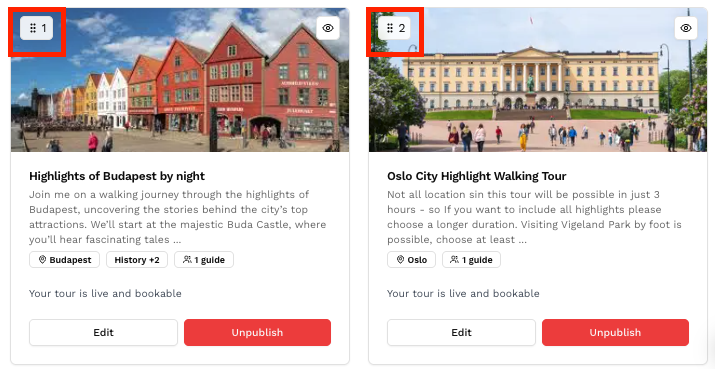
Now you can change the order by going to your dashboard and clicking "Tours". You will now se a squared number on the top left corner of your tours where you can drag-and-drop your tours in the order you want.
Related Articles
Learn what Classic Tours are on Keyguides Connect, how to enroll as a guide, and how different groups create and manage tour products on the platform.
Learn how to build and publish your own tours with Nova, the AI assistant in Keyguides Connect. Step-by-step guide for guides creating bookable experiences.
Explaining the complexity of our pricing model for tours sold on the guides profile in Keyguides Connect.